SEO Audit: How to Conduct It ?
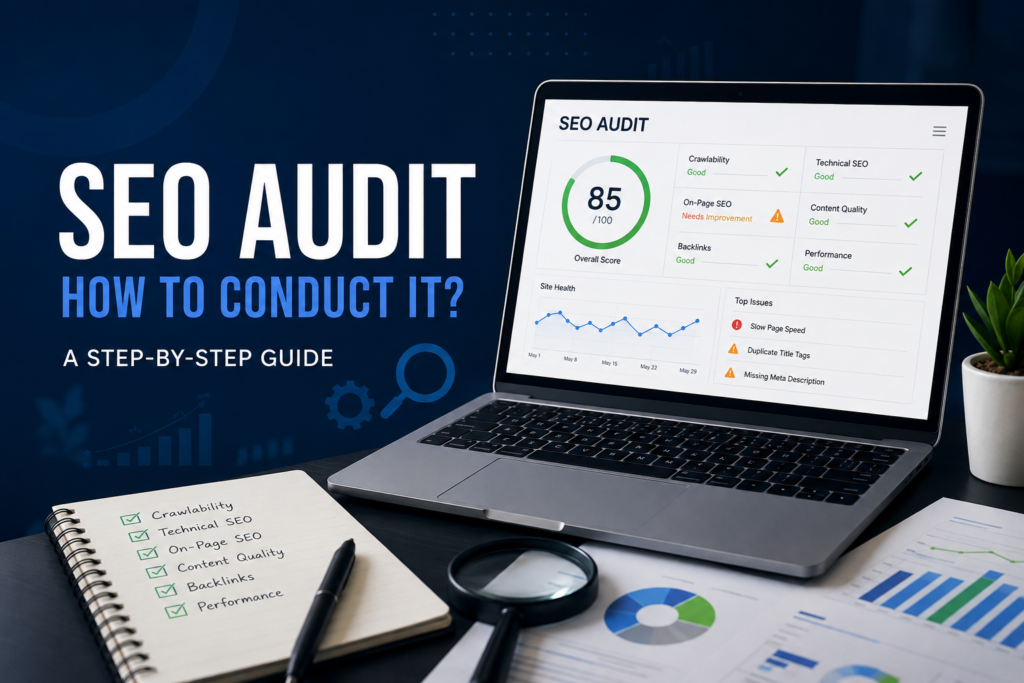
The SEO audit may seem like something complex to comprehend at first mention but the basic idea behind it is quite simple. If you have ever wondered why a competitor keeps getting traffic than you even though their content is not as good the answer usually appears during an SEO audit. Over the years I have done audits for websites that range from businesses to big e-commerce companies and one thing has stayed the same: the websites that grow are the ones that get audited not just once and then ignored.
In this guide I will show you how I do an SEO audit step by step using the process I use with clients. This is not a list from a book. It is the order I have learned through experiences, including the mistakes that taught me what really helps.
What Is a Website SEO Audit and Why Is It Matter ?
A website SEO audit is an examination of the technical part of your site’s performance that helps you figure out why your ranking is low and what contributes to your success. In simple terms, it is just a test. You would not start treating a sickness without checking the results of tests. You should not spend money on content or links without knowing if search engines can even see your pages.
I have seen businesses spend months creating content while an issue with how search engines see the site kept part of the website hidden from Google. A proper SEO audit finds problems like that before they waste time or money — which is exactly why working with a freelance digital marketing expert early on can save you from these costly blind spots.
My SEO Audit Process: Step-by-Step Guide
When I begin to carry out my SEO audit I always do it in the sequence: crawlability and indexing, technical SEO, on-page SEO, content quality, backlinks and performance data. This is the way I do it because there is no sense in improving content or getting any backlinks if the search engines cannot access the website.
Step 1: Crawlability and Indexation Check
It is the first thing I do in my SEO work. First I check the Google Search Console for indexing problems or errors on Google’s side when crawling the site. When the problem is that the page is inaccessible to Google or not indexed, all the other factors concerning the page’s SEO are secondary.
While doing work on my project I realized that there were some pages that weren’t indexed and hence didn’t appear in the search results. After this I checked the Google Search Console. Came to know that these pages had a tag that told Google not to index them. It seems that this tag was used by mistake when we were testing our website. We got rid of the tag. Made changes to the sitemap, which contained all pages to be crawled by Google. We asked Google to recrawl the website. One week later these pages showed up in the search results. Our website started getting more visits.
At this point I also check the list of pages that we want Google to look at and the special file that tells Google which pages not to look at. I do this to make sure that Google can look at our website the way it is supposed to.
Step 2: Audit Technical SEO
Once I know the site is visible I move to SEO: page speed, how well the site works on broken links, redirect chains, HTTPS setup and issues with duplicate content. These are the basics that affect both rankings and the experience for users. They are often the reason a website that is technically good still does not do well.
Step 3: On-Page SEO Optimization
Having solved the problems the next step is to optimize the on-page components of the pages in consideration in order to ensure they have been optimized for both the visitors and the search engines. Some of the things to be analyzed in this step include the title tags, descriptions, H1 & H2 tags, URLs, keywords, internal links alt tags for images, etc.
There are two issues that occur regularly. First improper use of keywords, such as use or overuse. The second one is having missing or duplicate title tags and meta descriptions. This leads to confusion for search engines and poor CTRs despite ranking positions. I also frequently see pages with content that does not address the question completely.
Step 4: Assess Content Quality
If a website doesn’t have content on it then having good page-level SEO elements does not really do any good. I try to find out how well a site responds to user needs how information it gives users beyond other sites and how much reason it gives users to continue reading.
Step 5: Analyse Backlinks
Next I check the sites backlink profile: how good the websites that link to you’re how the links are named and any bad or spammy links that could hurt your authority. Backlinks still have power in how search engines see trust.
Step 6: Review Performance Metrics
I take all the information together using Google Analytics and Google Search Console to see how traffic, views, clicks and sales have actually changed. This step shows me if the audit results match what is really happening and it becomes the starting point I compare after fixes are made.
Common Mistakes I See in SEO Audits
- Ignoring indexing problems
- Starting with content or link building
- Using the keywords or using the right ones too much
- Having missing or same title tags and meta descriptions on many pages
- Writing content that does not fully answer what the user is looking for
- Using one SEO tool instead of checking data from many
- Trying to fix everything at once instead of focusing on the most important issues
Prioritization
The SEO audit will reveal plenty of problems sometimes even several hundred. What I usually come across as the error during the process of conducting an SEO audit is the attempt to address all the detected problems at once. The issue is that not all problems are equally important. I always address them according to the hierarchy: crawlability and indexing then technical issues including site speed or broken links and last but not least on-page optimization and content problems.
What I would suggest is not to rely on one tool alone. All my work is verified via Google Search Console and Google Analytics along with tools such as Screaming Frog and Ahrefs in order to get a better picture before moving ahead. The important thing is to think about the end user and not the algorithm.
SEO Audit Tools Worth Using
- Google Search Console: How the site’s seen by Google, crawl issues and search results
- Google Analytics: How much traffic the site gets and how people act on the site
- Screaming Frog: Checking on-page parts of the site
- Ahrefs: Checking links and finding good keywords
Asked Questions
How often should I perform SEO audits on my website?
I believe that for websites which operate continuously it is wise to perform SEO audits on a basis. In this manner you will be able to monitor the progress of your website. Furthermore for websites which receive additions and modifications every month you should perform an SEO audit every month as well.
How long does an SEO audit take?
It depends on how big the site’s but a full audit usually takes from a few days to a couple of weeks especially if you focus on fixing issues instead of just listing them.
Can I do an SEO audit by myself without hiring help?
Yes. With tools like Google Search Console and Google Analytics and a tool like Screaming Frog you can do an audit yourself. The key is to follow a process than checking things randomly.
Final Thoughts
An SEO audit is not a one-time project you do. Then forget about it. It is something you do regularly to keep your website healthy as search engines your competitors and your own site change. If you take one thing from this guide let it be this: start with crawlability and indexing fix problems in order of how they matter and check what you find using more, than one tool. Do that regularly. The rest of your SEO work has a base to build on.